
YOUR NEXT CHAPTER STARTS HERE

The build,
made clear.

Plans, site evidence and decisions — connected to one source-backed record that still makes sense when the signal drops.

PLANSITEEVIDENCEDECISIONRECORD
Current drawings Offline recovery Source-backed history Clear client approvals
BUILD TEAM

Plans, site records, decisions and change history.

I run building projects
CLIENT

Your progress, changes and next steps.

I am having something built
THE ACTUAL PRODUCT // 1.0.3

From site note to a clear decision.

Explore the actual Capture, project and decision screens below. Shown with demo data.
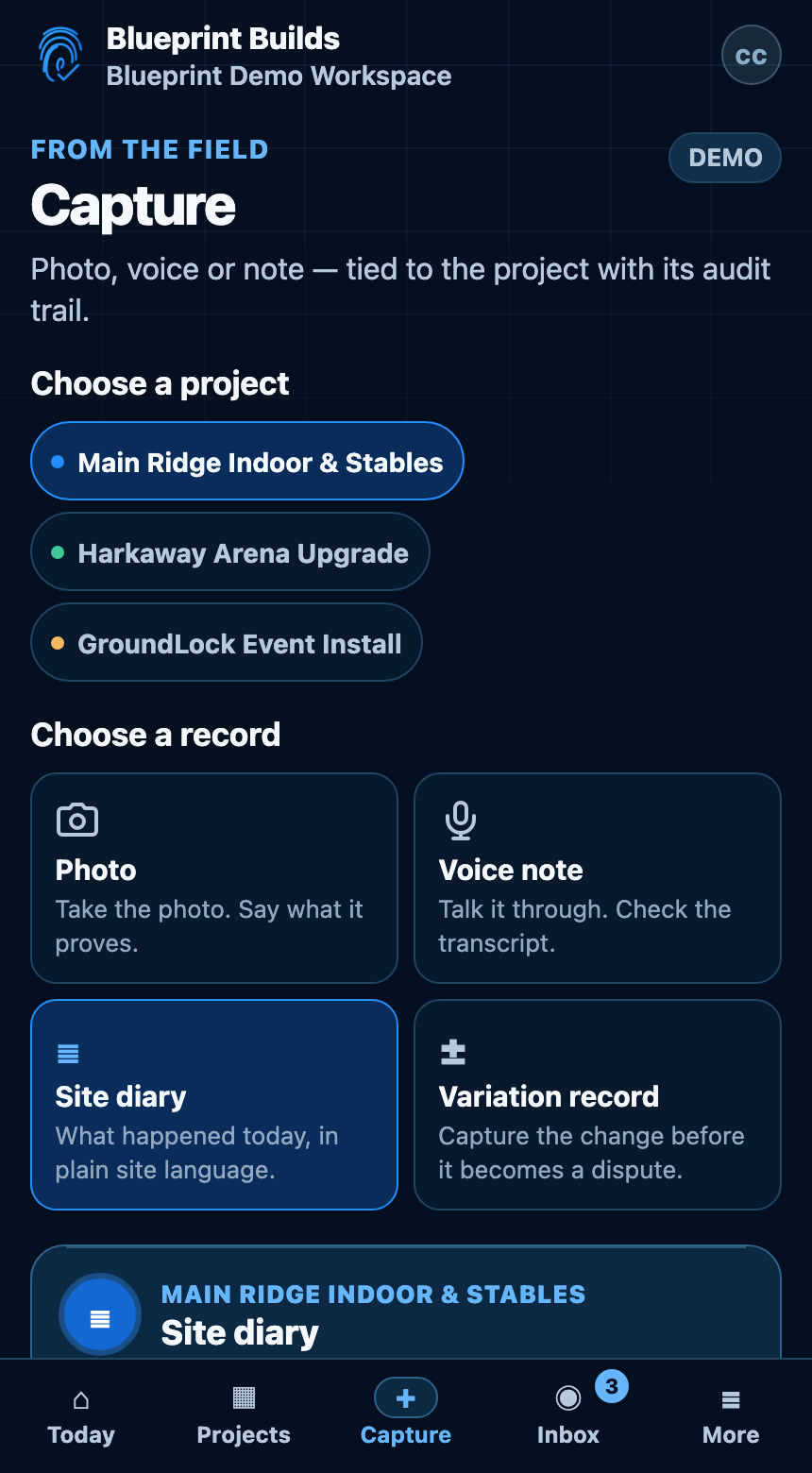
01 // FIELDCAPTURE
Blueprint Builds Capture screen showing photo, voice, site diary and variation record paths
View full-size Capture screen
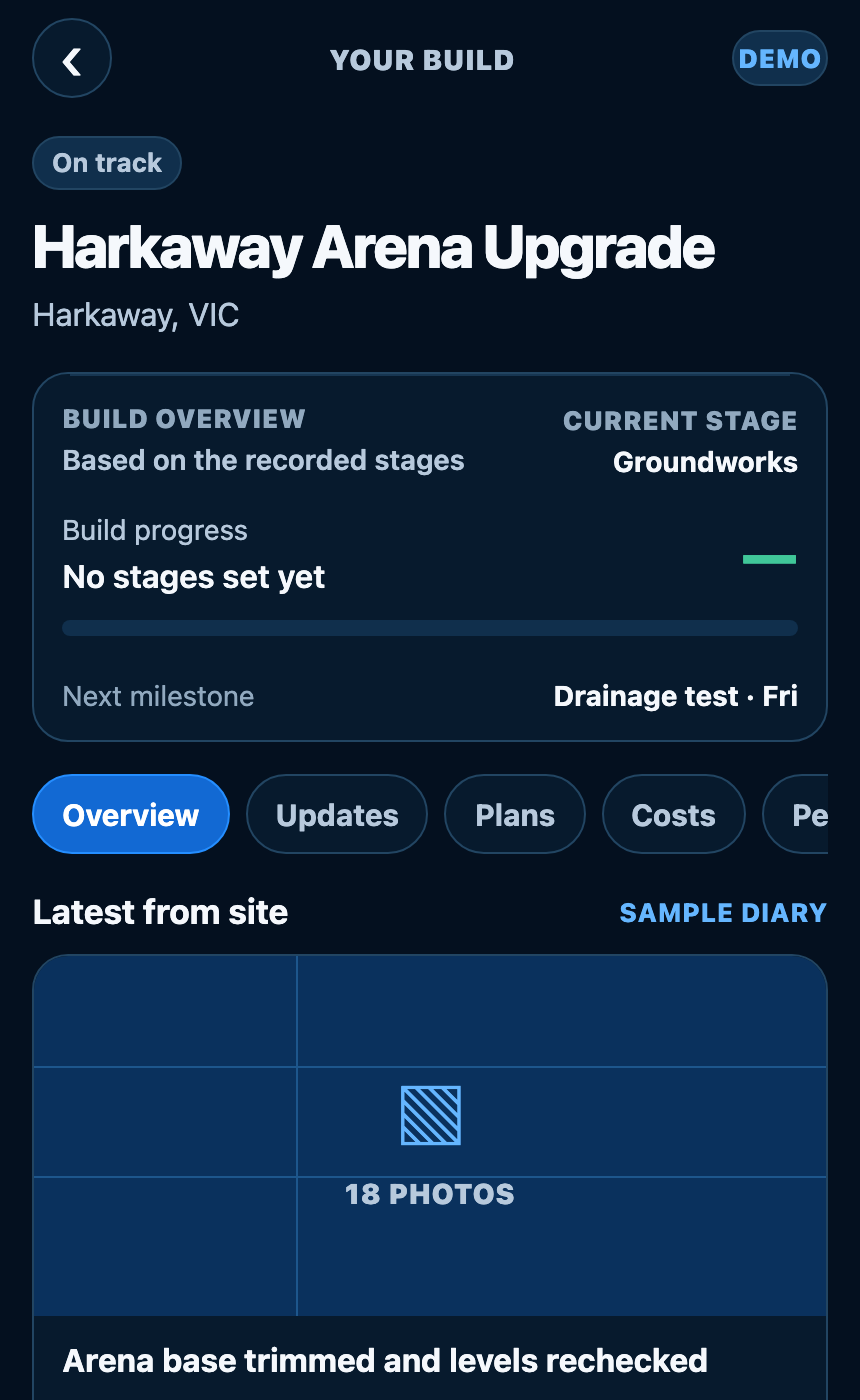
02 // PROJECTYOUR BUILD
Blueprint Builds project view showing measured progress, the build timeline and a blocking decision
View full-size Project screen
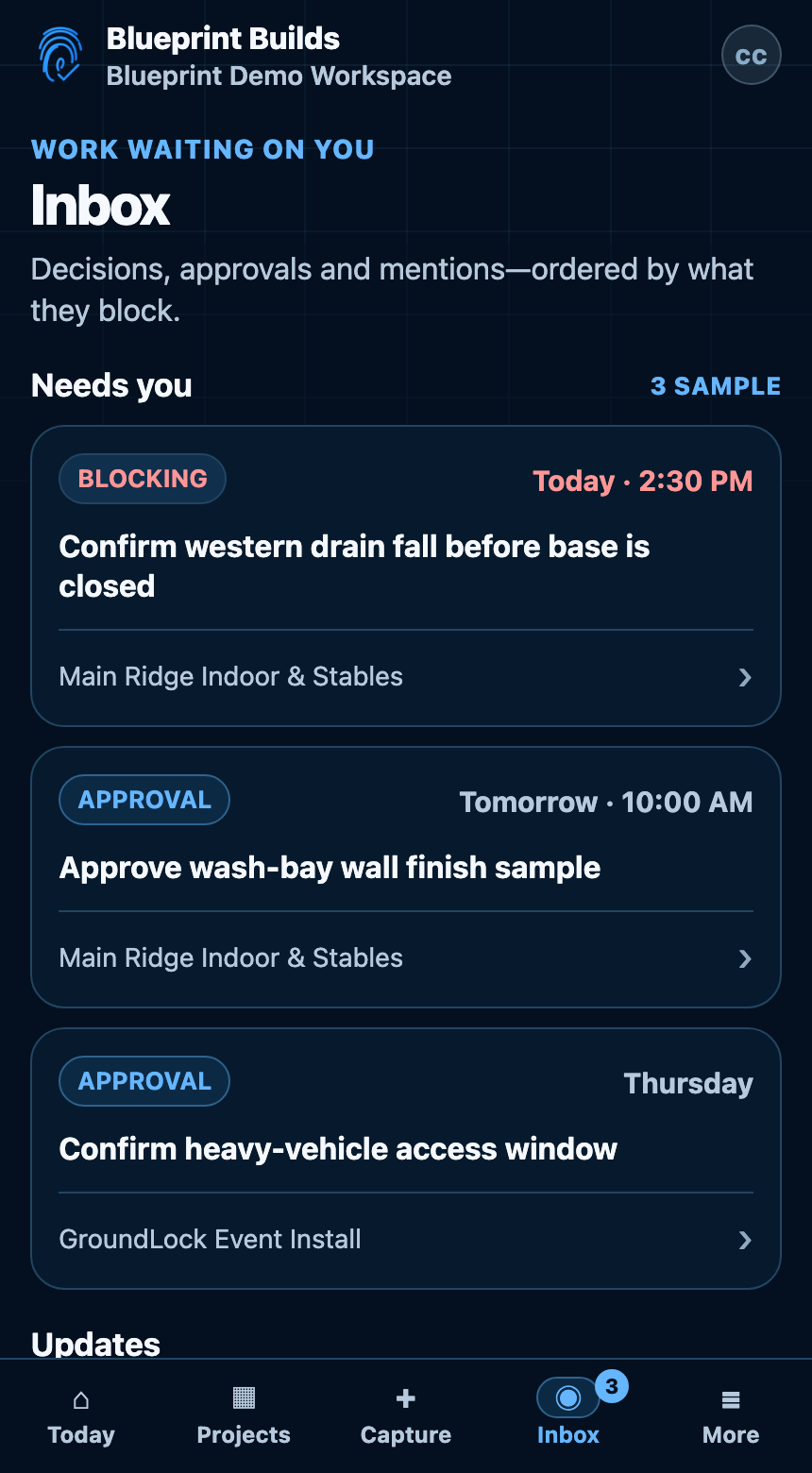
03 // DECISIONINBOX
Blueprint Builds Inbox showing blocking decisions and approvals ordered by what they hold up
View full-size Inbox screen
REAL UI // SAFE DEMO WORKSPACE // CURRENT RELEASE SURFACE
REAL INTERFACE NON-PRODUCTION DATA OFFLINE-FIRST FIELD FLOW ROLE-SCOPED RECORD
PLAN DESK // SITE READY

The plan your team can actually use on site.

Open the current drawing, zoom and mark the detail. Keep prepared plans available on site, across phone, iPad and desktop.

01 / PLAN DESK

Full-size plans. Markups that mean something.

Pin and mark up the exact drawing revision. Browse mode keeps touch safe while you move around the sheet.

02 / OFFLINE

No signal? Keep working.

Prepare plans before going offline. Saved field records queue on the device with their original capture time.

OFFLINE PACK READY
03 / ANY SCREEN

iPad on site. Laptop in the office. Same drawing.

Browse, mark up and review the same current plan on the screen you have.

RESPONSIVE + TOUCH SAFE
FROM THE GROUND UPA build, taking shape.
An arena building taking shape from set-out to site detail An illustrative building with a ground plan, repeated portal frames, a pitched roof and a highlighted drainage route. This is not a construction drawing or a live project record. ILLUSTRATIVE CONCEPT / NOT FOR CONSTRUCTION
01 Set-out02 Structure03 Roof04 Site detail
Illustrative example. Not for construction.
OFFLINE, PROVEN

Drop the signal.
Keep the record.

Try it here. Turn the simulated connection off and capture a record. Blueprint keeps the time it happened and queues the update instead of losing it.

5G Sync — connected

BLUEPRINT / LOCAL RECORD
ready — capture a record to generate a local audit event
OPEN IT. KNOW WHAT MOVED.

One record. Clear history.

Confirmed history routes back to the source records behind it — without turning project memory into a generated story.

04 / TODAY + PROGRESS

Know what needs attention.

Recent records, measured milestones, waiting decisions and the next stage stay visible without reconstructing the job from messages.

05 / THREAD + REPLAY

Open the why behind a change.

Authorised build-team accounts can follow confirmed relationships back to the records that explain what changed and what proves it. Saved Replay remains readable offline.

06 / VERIFIED BUILD STORY

Handover already has a record behind it.

Photos, milestones and decisions stay linked to their source. Build Story stays private until sharing is deliberately enabled.

Explore the project record and get help →
BUILT FOR THE CLIENT TOO

Your build should make sense without a site meeting.

Clients see the current stage, the people on the job, decisions that need an answer and what comes next. Internal Thread/Replay, commercial controls and site authoring stay out of the way.

See what each role can do
BLUEPRINT ACCESS PASSSERVER ENFORCED
✓
Current plans + recorded progressSame job record
✓
Decisions that require this roleScoped to the person who should answer
✓
Field capture + plan markupBuild team authoring
✓
Commercial + workspace controlNever exposed to Client access
✓
People + permission authorityOwner-only controls

Already building? Ask your builder for an invite. Already invited? Open your workspace.
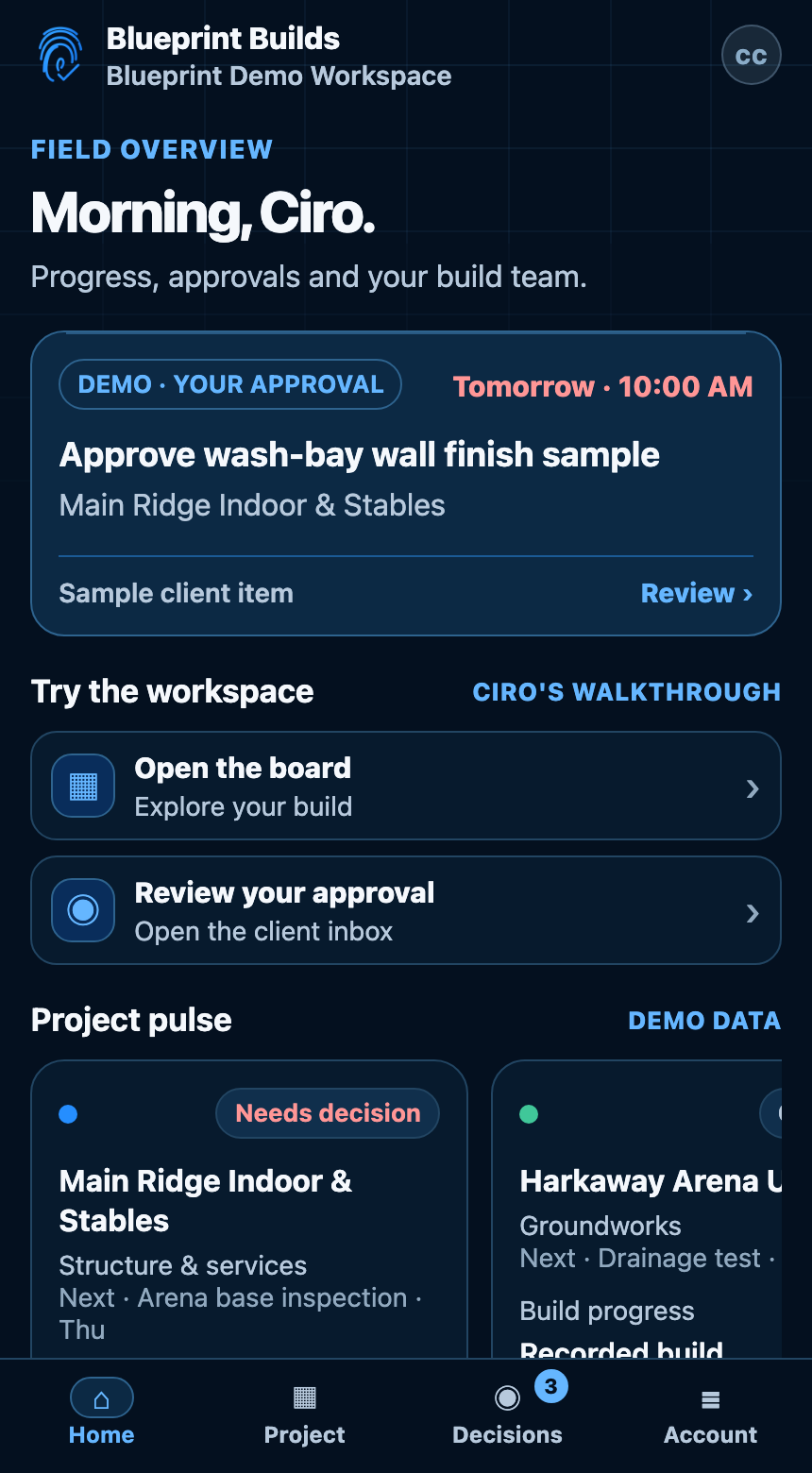
CLIENT VIEW // READ ONLY // SITE TOOLS HIDDEN
CURRENT PRODUCT // CLIENT HOMEDEMO DATA
Blueprint Builds client Home showing a client approval, project pulse and simplified client navigation
View full-size Client Home screen
PRIVATE PROJECT // CLEAR ACCESS

The job stays private. Access stays deliberate.

There are no advertising trackers on the public site. Project photos, voice and plans stay private, and drawing links use short-lived access instead of exposing an app session.

01SHORT-LIVED ACCESSOne-use activation and scoped Plan Desk sessions.
02ROLE ENFORCEMENTAuthority lives on the server, not in UI text.
03PRIVATE MEDIAShort-lived signed access after authorisation.
04OFFLINE WITHOUT LEAKAGEAuthorised snapshots and pending field records stay device-local until sync.
FOR BUILDERS WHO WANT LESS CHASING

Built with builders. Clear enough for clients.

Tell us about your team and your next project. We will help you decide whether the Founder Pilot fits.

Invitation-only. Registering interest does not create an account.